AI-Powered MTG Collection Tracker: Track Card Value and Build Decks From What You Own
 TamyNovember 1, 20266 min read
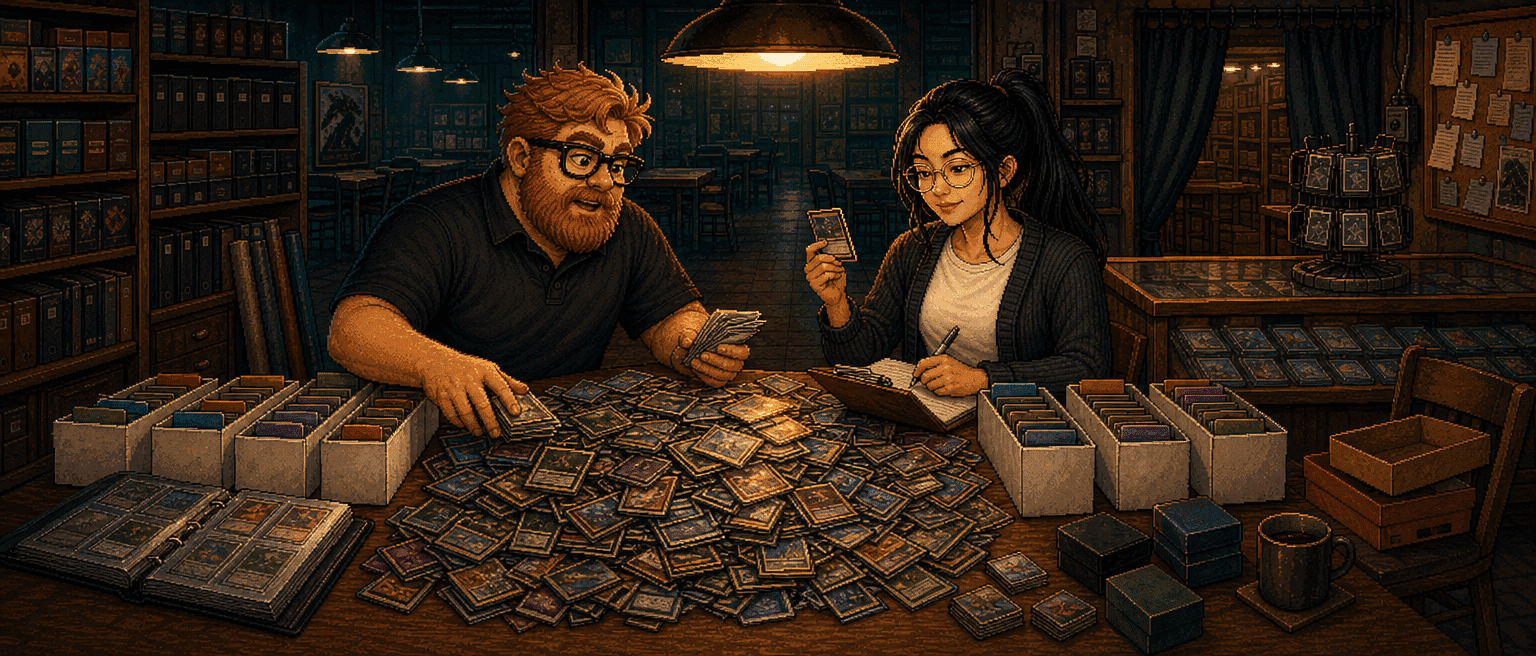
For the last couple of weeks, most of what we've built has been one feature: collections. It touches more of the site than anything we've shipped since the redesign. There's the import, price tracking, a wishlist, the deck pages, and how Carl picks cards. It isn't finished, and there's more coming. But enough of it is working that we wanted to give you an update on what's there and a proper how-to for using it.
The problem it solves is one I've had since day one. Every deck Carl built for me was a good deck that I owned about half of. The other half was a shopping list I never got around to.
Now you tell the site which cards you actually have, and three things follow. The cards get a value that updates daily. Your decks know which of their cards are already sitting in a box. And Carl can be told to build only from what you own, and he sticks to it.
How to create a collection
A collection is one box, binder or folder of real cards. Make one per physical pile if you like. I keep a "Golgari Box" for one colour pair and a trade folder for everything else. They all live under My Collections.
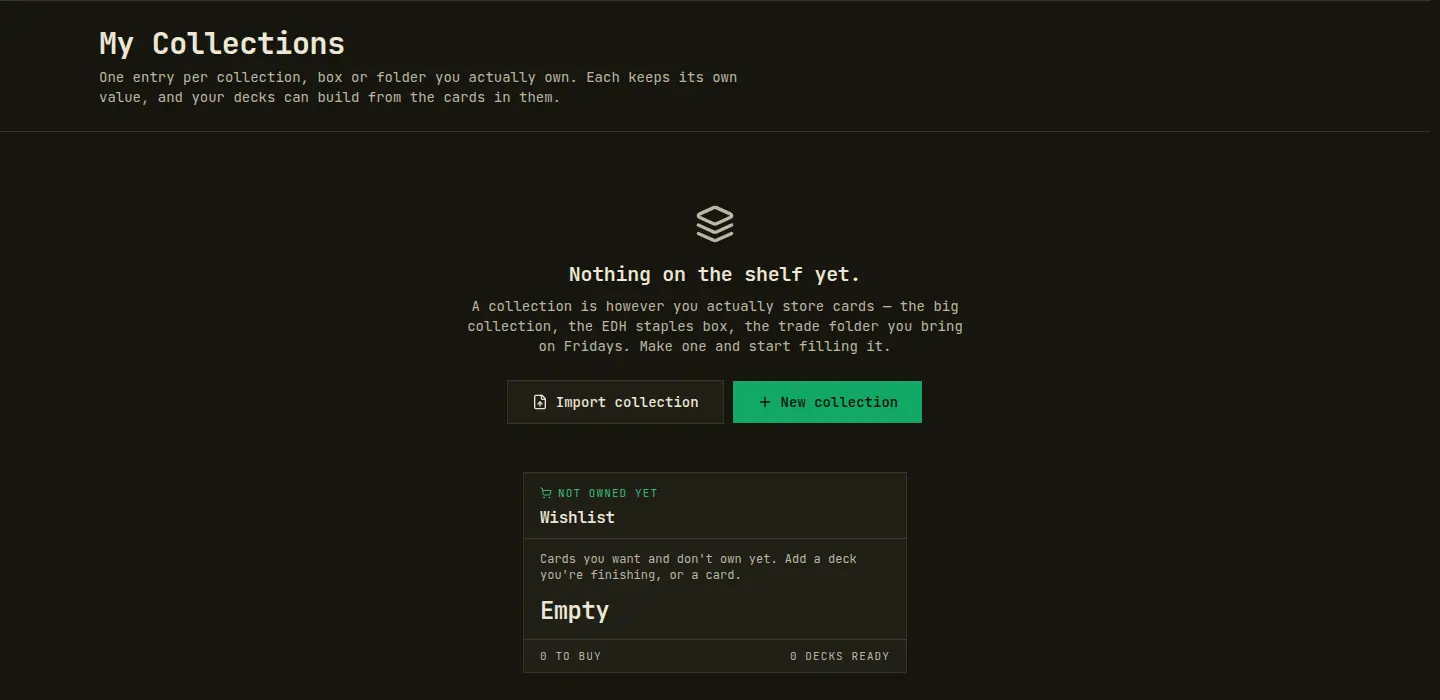
New collection creates an empty one that you fill card by card. Import collection is the one most people want. It takes four kinds of input:
- Link: a public Moxfield or Archidekt collection, or a deck link from either site.
- Paste list: one card per line as
qty name, with an optional(SET)and collector number, and*F*for foil. - CSV file: a Moxfield or Archidekt export. A
.txtor.deklist works too. - From deck: one of your decks on this site. Handy if the deck is already sleeved up on your desk.
Before anything is saved, the import shows you a preview: how many cards it will add, which printings it had to guess, and which lines it skipped. A line without a set gets the cheapest printing. I pasted 113 cards with no set codes and every one of them matched. That was less work than the last time I tried to write the box down on paper, which got as far as the creatures.
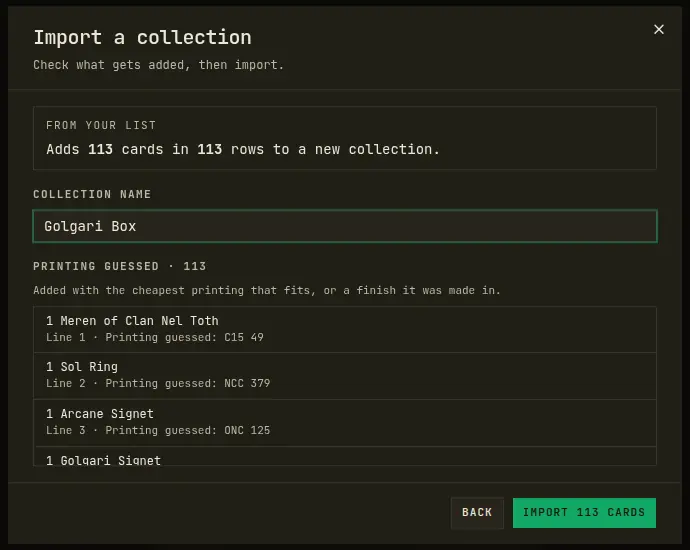
After that, quantities are edited inline. The row menu moves a card to another collection or adds it to a deck. Finishes are tracked as nonfoil, foil or etched, and each one is priced on its own.
What a collection tracks: value, prices and insights
Open a collection and the top row answers the questions people actually ask: estimated value, card count, unique cards, sets, and how many cards have no known price.
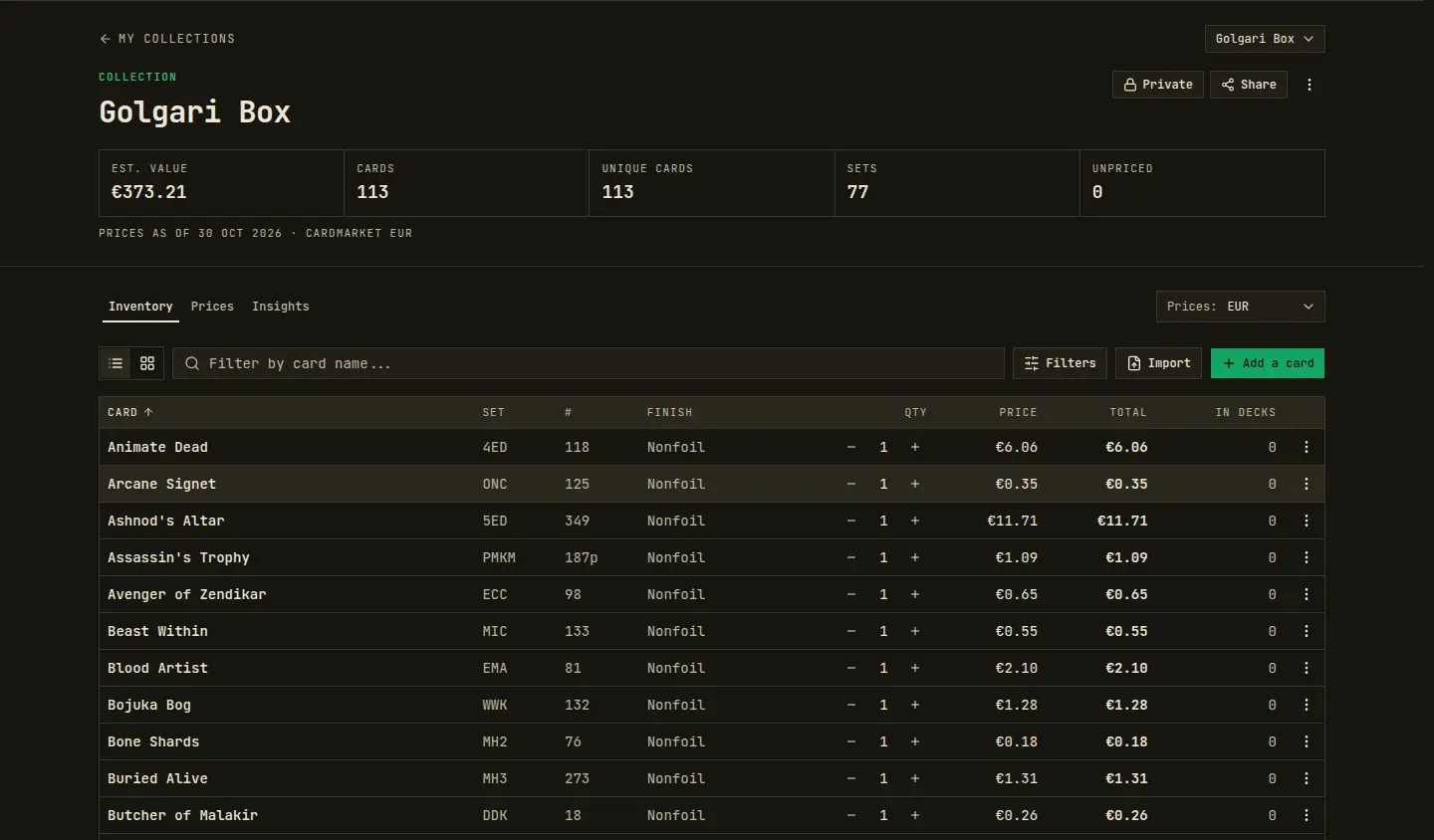
The Prices tab is where the value tracking lives. It has a value-over-time chart for 7 days, 30 days, 90 days or all time, plus top movers in both directions, a full price-changes table and your most valuable cards. You can switch the prices between TCGplayer USD, Cardmarket EUR and MTGO tix. They come from a daily snapshot, for the exact printing and finish you own.
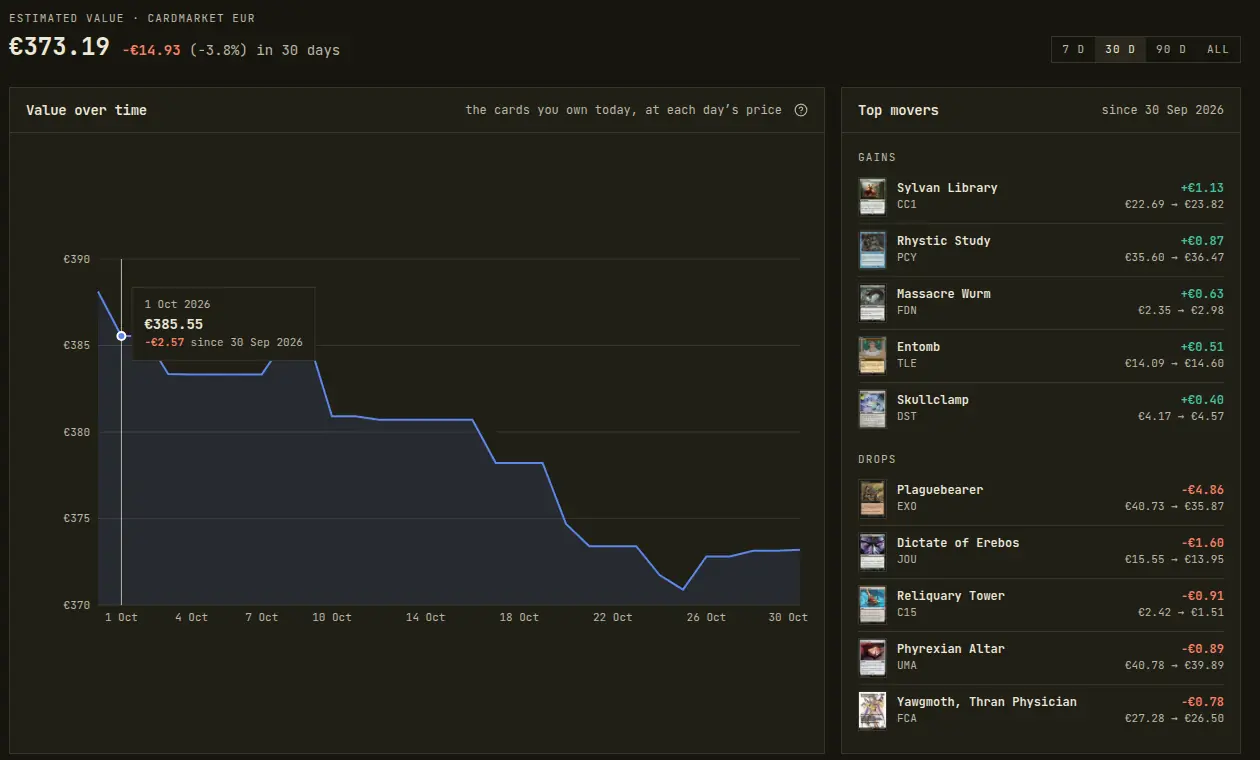
This is the first time I've known what my Golgari Box is worth. It turns out Phyrexian Altar and Yawgmoth are about a sixth of the box's value on their own, which changes how carefully I shuffle.
The Insights tab breaks the collection down by mana symbols, mana value, type, rarity and finish. It also has the two panels I use most: Which decks can I build? and Missing for a deck. Every collection is private until you make it public. A public one gets a share link and shows up on your profile.
The wishlist: what you still need to buy
The wishlist sits next to your collections and holds the cards you want but don't have. You can add single cards from search or from any card on a deck. The better route is to add a whole deck. A deck on the wishlist keeps its own list of missing cards up to date: change the deck and the list changes with it, and as your collections grow it gets shorter.
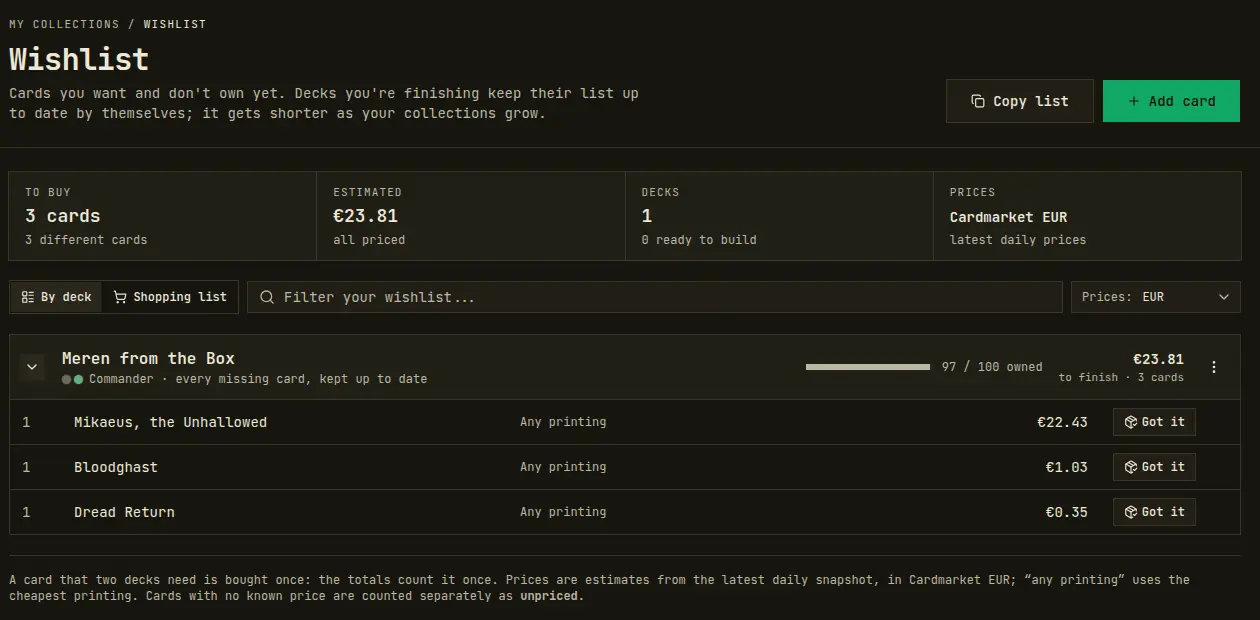
Switch to Shopping list and a card that two decks need shows up once, with both decks next to it. Copy list gives you a qty name line for each row, ready for a shop's mass-entry box. When the cards arrive, press Got it, pick the printing and the collection, and the card moves off the wishlist and into that collection. It's the closest thing I've found to a to-do list I actually enjoy crossing things off.
How to make Carl build a deck from your collection
This is what I wanted collections for. Here is the full run, from an empty deck to 100 cards, using only my Golgari Box.
1. Create the deck and pick "Build from"
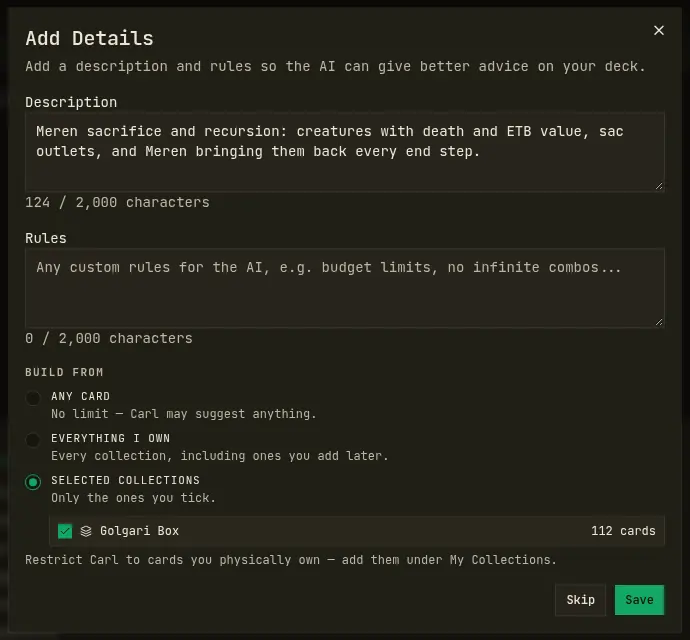
Create a deck as usual from My Decks. I made a Commander deck with Meren of Clan Nel Toth at the helm. Right after you create it, the Add Details dialog opens, and at the bottom of it is Build from:
- Any card: no limit. This is how decks worked before.
- Everything I own: every collection, including ones you add later.
- Selected collections: only the ones you tick.
I picked Selected collections and ticked the Golgari Box.
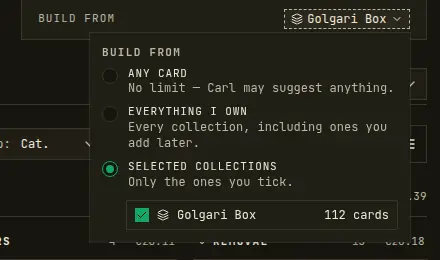
Skipped that dialog? The setting also sits on the deck page itself, as the Build from chip under the rules. Click it to change the scope at any time.
2. Ask Carl to build
Press Talk to Carl on the deck page and tell him what you want. I wrote: "Build this Meren deck out to 100 cards using only cards from my Golgari Box collection. Go for sacrifice and recursion, and fill the rest of the mana base with basics."
He searched the box, worked out a plan and put his first batch on the stack: twenty sacrifice outlets and death triggers, from Viscera Seer to Blood Artist, every one of them out of the box.
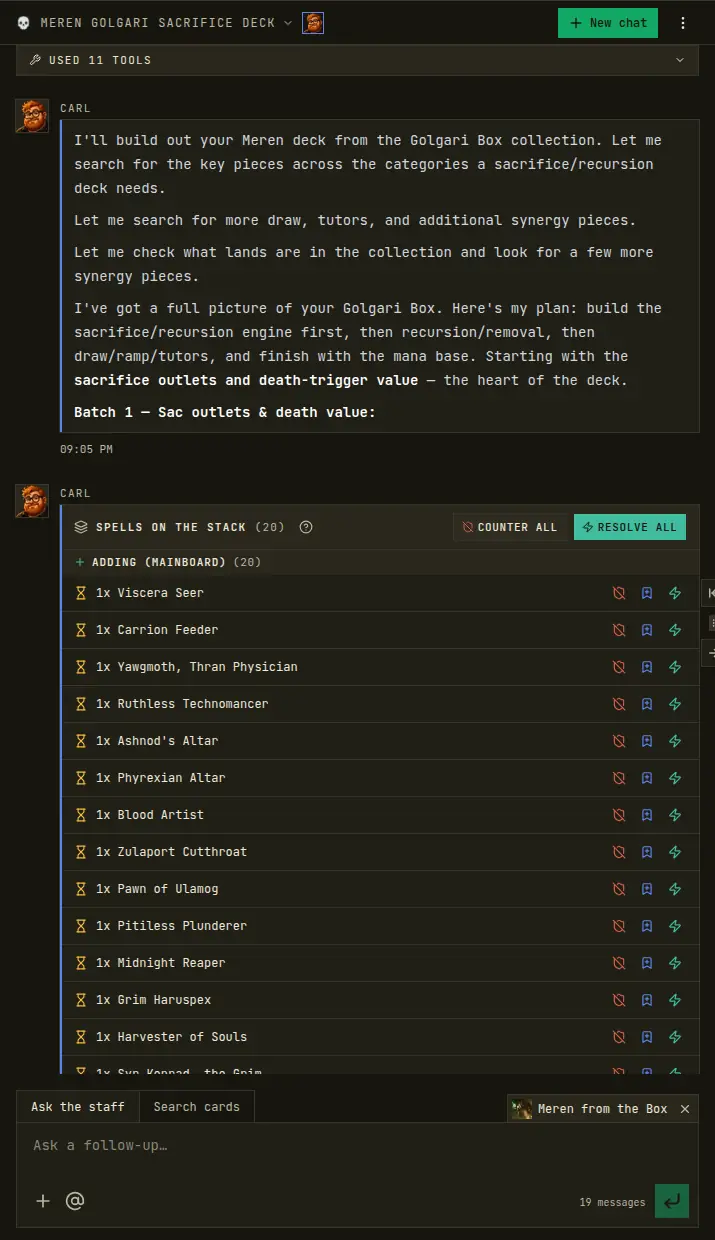
Nothing is added until you say so. Resolve All accepts the batch, the shield icon counters a single card, and the bookmark sends it to the maybeboard. Once I resolved a batch, Carl went straight on to the next one: recursion and removal, then ramp, then draw, then the lands. Six batches later the deck was at 100, and the legality badge was green.
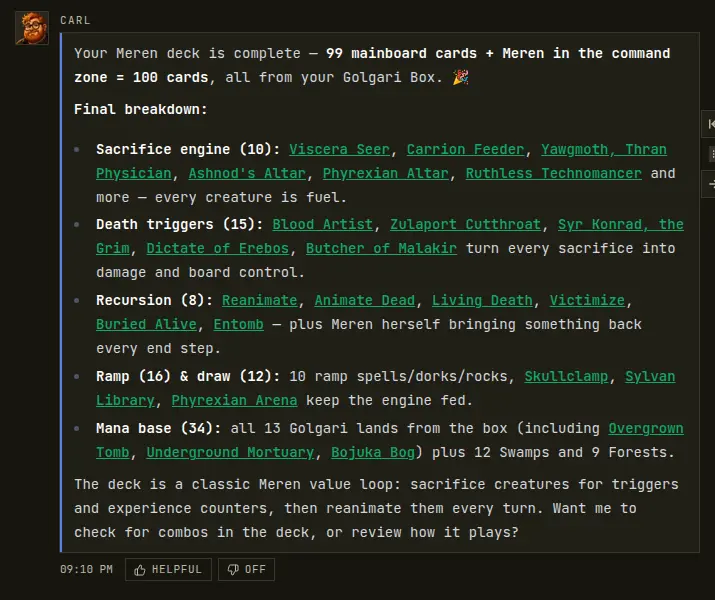
The scope isn't a polite request in Carl's prompt. His card search only looks inside the collections you picked, and he can't add a card from outside them. The deck's own add box holds to it too: when I later tried to add Bloodghast by hand, the deck told me it wasn't in the Golgari Box. The one exception is basic lands, which are always allowed, so a deck never stalls for want of a Swamp.
How to see which cards in a deck you already own
Once a deck and your collections know about each other, ownership shows up in two places.
The badge on the card
Click any card on your deck page. Under the card name is a chip: green In collection if you have it, amber 1 of 2 in collection if you're short on copies, and a dashed Not in collection with a cart icon if you don't have it at all. Add to wishlist sits right next to it.
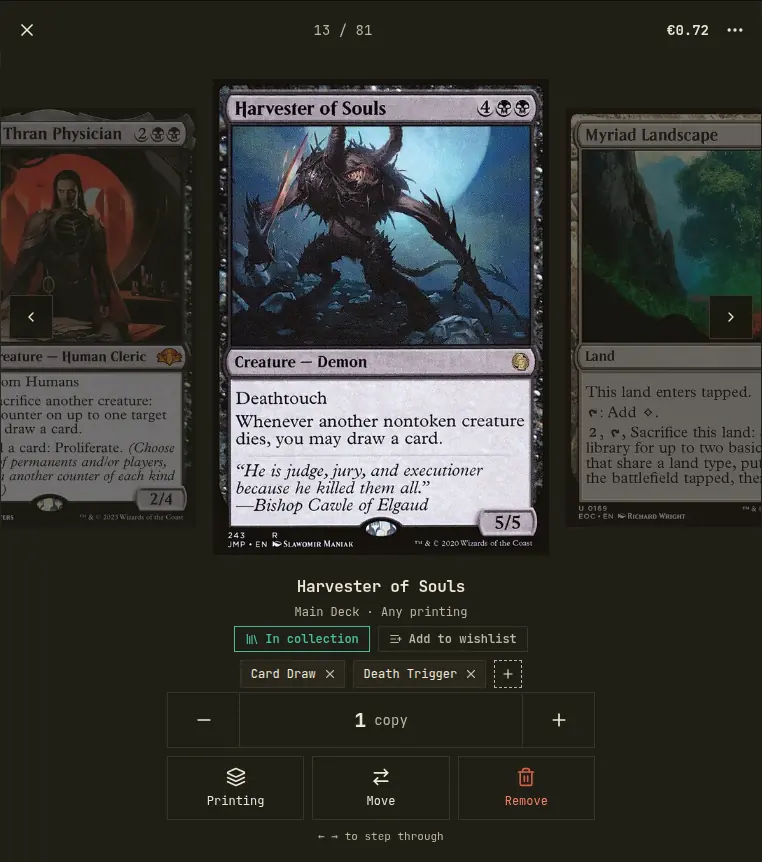
The decklist toolbar also has a Not owned filter with a count. Click it and the deck shrinks to exactly the cards you're missing.
The Owned tab
The Owned tab on the deck page is the full picture. At the top: how many cards you own out of the total, how many are left to buy, and what they cost. Below that, the to-buy cards with their prices, then everything you already own. Copy pull list copies every card with where it lives, so you can pull the deck out of your boxes without hunting. I used to build a deck in my head and then spend twenty minutes finding out which box Blood Artist had wandered into.
To make this one interesting, I switched the Meren deck back to Any card and swapped three Swamps for upgrades I don't own: Mikaeus, the Unhallowed, Bloodghast and Dread Return.
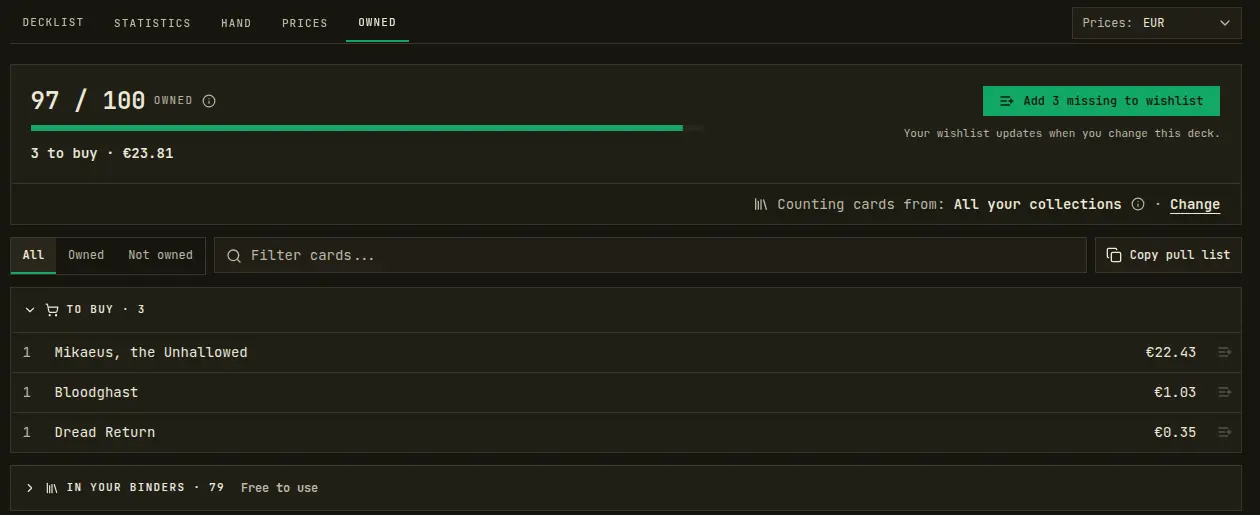
One click on Add 3 missing to wishlist and those three are on the wishlist under the deck's name. If I cut Mikaeus tomorrow, he drops off the list on his own.
Asking Carl about your collection
Carl can read your collections in any chat, not only while he's building. Ask him what your collection is worth, which of your cards aren't in any deck, or what you could trade away without breaking a list you play. That last one is the question I've wanted answered before every trade night for years.
Collections FAQ
Can I import my collection from Moxfield or Archidekt? Yes. Paste a public collection link, or upload the site's CSV export, and you get a preview of what will be added before anything is saved.
Does Carl only use cards I own? Only if you want him to. Set the deck's Build from to Everything I own or Selected collections, and both his card search and the cards he adds are limited to those collections. Basic lands are always allowed.
How is my collection's value calculated? From a daily price snapshot, for the exact printing and finish of each card you own, in TCGplayer USD, Cardmarket EUR or MTGO tix.
Is my collection public? No. Every collection starts private. Make one public and it gets a share link and appears on your profile.
Can one deck build from several collections? Yes. Tick as many as you like under Selected collections, or choose Everything I own to include every collection, including future ones.
Try it with your own cards
Import the cards you have, point a deck at them, and let Carl build from that. The decks he makes from your own box are the ones you'll actually sleeve up tonight. Start under My Collections.
This is the first version, and we're still working on it. If your import trips over something or there's a question about your cards the site can't answer yet, tell us. That's what decides what we build next.
Enjoyed this post?